


Best cameras for adult video production at every budget (2026)
The right camera for adult video production depends on budget, scene type, and editing workflow. Detailed comparisons are in the sections below; this is the quick reference.
| Budget | Recommended type | Why it fits |
|---|---|---|
| Under $1,000 | Mirrorless / DSLR with kit lens | Workable autofocus, decent low-light, clean 1080p, the learning camera |
| $1,000-$2,500 | Prosumer mirrorless (often full-frame) | Better low-light, 4K with usable codecs, real autofocus, the workhorse |
| $2,500-$5,000 | High-end mirrorless or entry cinema | ProRes/RAW codecs, full creative control, broadcast-quality output |
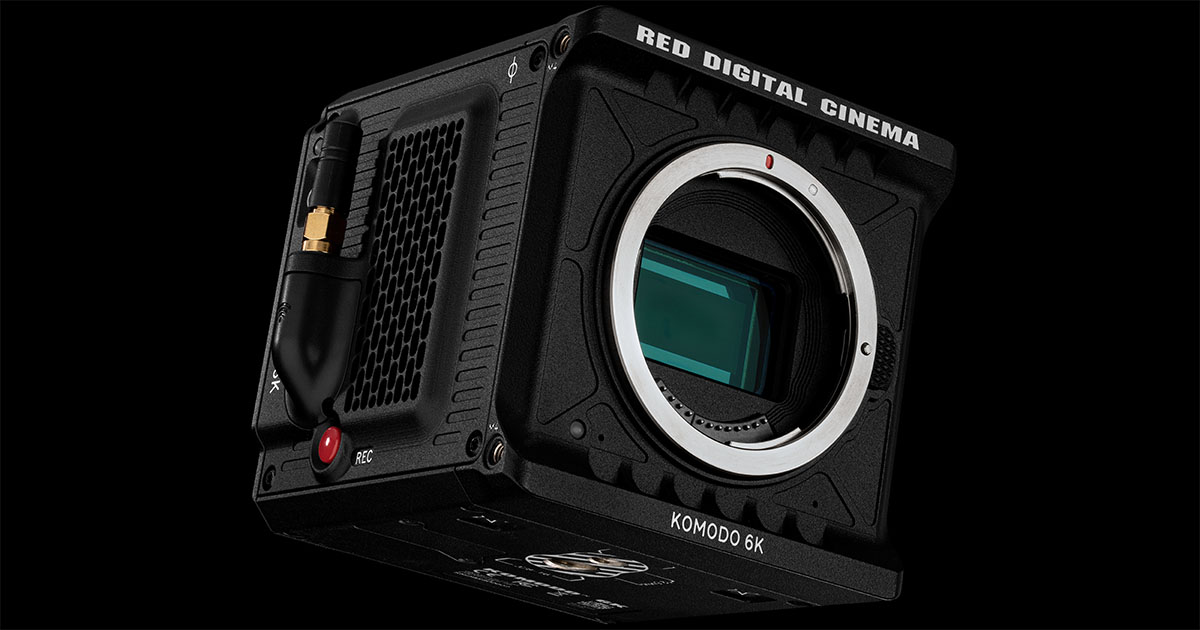
| $5,000 and up | Cinema camera (Blackmagic, RED, Sony FX) | Full RAW workflow, log gamma, the cameras pro studios actually use |
Specific recommended models in each tier, and what to check before buying, are below.
Choosing Camera Equipment for Your Adult Content Business
You've decided to make porn. You've got your business plan, you understand the legal requirements, and you've started thinking about talent. Now comes the question every new producer asks: what camera should I buy?
Here's the honest answer: the best camera is the one that fits your budget, your content style, and your skill level right now. A $10,000 cinema rig won't make your first shoot better if you don't know how to light a room or frame a shot. And a smartphone can produce surprisingly professional content if you know what you're doing.
This guide breaks down your options by budget tier, from zero investment to full production setup, so you can make a smart decision based on where you actually are in your business, not where you hope to be in two years.
What Actually Matters for Adult Video
Before you start comparing spec sheets, understand the features that matter most for shooting adult content indoors:
- Low-light performance: you're shooting indoors, often with mood lighting or limited natural light. A camera that handles high ISO without turning your footage into a grainy mess is worth more than one that shoots 8K in direct sunlight. Larger sensors (full-frame > APS-C > smartphone) capture more light. Fast lenses (f/1.4, f/1.8, f/2.8) let more light in. Some cameras, like the Sony FX3, have a second base ISO that stays clean in dim rooms that would turn other cameras' footage to grain.
- Autofocus that tracks faces: unless you have a dedicated camera operator, you need autofocus that locks onto faces and eyes and doesn't hunt or drift during movement. Sony and Canon lead here. If you're shooting solo content, this is non-negotiable. Blackmagic and RED cinema cameras have little or no tracking autofocus. They assume someone is pulling focus.
- No recording time limits: some cameras cut recording after 30 minutes. That's a problem when your scenes run longer. Most modern mirrorless cameras have removed this limit, but check before you buy. You also want a camera that won't overheat mid-scene, look for cameras with active cooling fans or proven thermal performance.
- Flip screen for self-shooting: if you're producing solo content or operating as a one-person crew, a fully articulating screen lets you frame yourself while recording. Most content-focused cameras now include this, but some cinema cameras don't.
- Good skin tones and color science: not all cameras render skin the same way. Canon is widely regarded as having the best skin tone rendering straight out of camera. Sony's S-Cinetone profile is excellent. This matters more than resolution when your entire frame is skin.
- Audio input: built-in camera microphones are terrible. At minimum, you need a 3.5mm microphone input. For professional setups, XLR inputs (found on cinema cameras or via adapters) give you more control. Bad audio kills a video faster than bad image quality.
Tier 1: Your Smartphone ($0 Extra Investment)
Don't laugh. If you already own a recent flagship smartphone, you have a camera capable of producing content that can earn money on platforms like OnlyFans, ManyVids, and clip sites. Most subscribers on these platforms watch on their phones anyway, they're not pixel-peeping on a 4K monitor.
The iPhone 16 Pro ($999-$1,199) shoots 4K at 60fps with ProRes recording, sensor-shift stabilization, and Cinematic mode for automatic depth-of-field effects. Its low-light performance has improved dramatically, and the four built-in microphones are decent for close-range audio. If you're an iPhone user, you already have one of the best video cameras in your pocket.
The Samsung Galaxy S25 Ultra ($1,199-$1,419) shoots 8K at 30fps and offers more manual control through its Pro Video mode. The 10x optical zoom gives you framing flexibility without digital cropping. Battery life is longer than the iPhone, and the S Pen is useful for storyboarding. The tradeoff: Samsung's color science isn't as flattering for skin tones as Apple's.
Camera Variety
You can spend anywhere from almost nothing to 100s of thousands of dollars.
If you go the smartphone route, invest in accessories: A smartphone gimbal like the DJI Osmo Mobile 8 eliminates shaky footage. A clip-on shotgun microphone like the Rode VideoMic Me ($79) dramatically improves audio. A phone tripod mount ($39) and a portable LED light ($59) round out a setup that turns your phone into a legitimate production tool for under $350 in accessories.
When to move beyond your phone: When you need better low-light performance, shallower depth of field (that professional blurred background look), the ability to swap lenses for different shots, or when platforms you're targeting start requiring higher quality. If your phone content is earning money, upgrade when the investment makes business sense, not before.
Tier 2: Entry-Level Mirrorless Cameras ($700-$1,800)
This is where most new producers should start if they're serious about building a production business beyond solo content. These cameras offer dramatically better image quality than phones, interchangeable lenses, proper audio inputs, and features designed for content creators.
The Sony ZV-E10 II ($899 body, $999 with kit lens) was literally designed for content creators. It has no recording time limits, Sony's excellent real-time Eye AF that tracks faces during movement, a fully articulating touchscreen for self-shooting, a background defocus button for instant bokeh, and a built-in three-capsule directional microphone. It even has a USB-C webcam mode if you want to use it for live streaming without a capture card. The 4K is oversampled from 6K, which means it's sharper than cameras that shoot native 4K. The main downside is no in-body stabilization, you'll need stabilized lenses or a gimbal for handheld work. This is the best value for new producers shooting their own content.
The Canon EOS R50 ($699 body, $899 with kit lens) is the most affordable path to professional quality. Canon's Dual Pixel autofocus is reliable, the color science produces excellent skin tones straight out of camera, there are no recording limits, and the included kit lens is genuinely good. The beginner-friendly interface means less time reading manuals and more time shooting. The downsides: no in-body stabilization, 8-bit color only (limits color grading options), and 4K 60fps has a significant crop that cuts the edges of your frame. If you're on a tight budget and want Canon color quality, this is the play.
The Fujifilm X-S20 ($1,299 body, $1,499 with kit lens) has something the Sony and Canon don't at this price: 7-stop in-body image stabilization. That means handheld shooting looks smooth without a gimbal. It also records 6.2K video, shoots 10-bit color internally for better color grading, and has Fujifilm's signature film simulation modes that give your footage a distinctive cinematic look without post-production work. The autofocus isn't quite Sony or Canon level, and the Fujifilm lens ecosystem is smaller, but if you shoot handheld this camera saves you money on gimbals and stabilizers.
The Sony A6700 ($1,399 body only) is the most advanced camera in this tier. It has AI-based autofocus inherited from Sony's professional cameras, 5.5-stop IBIS, 4K at 120fps for slow motion, 10-bit internal recording, and exceptional low-light performance. It's essentially a professional camera in a compact body. The learning curve is steeper, and it's the most expensive camera in this tier. But if you want one camera that you won't outgrow quickly, this is it.
Budget a lens alongside the body. The kit lens gets you started, but a fast prime lens like the Sigma 16mm f/1.4 ($399) or Sony 35mm f/1.8 ($448) dramatically improves low-light performance and gives you that professional shallow depth-of-field look. Plan to spend $1,300-$2,300 total including one good lens.
Tier 3: Mid-Range Full-Frame ($2,200-$3,000)
Budget Cameras
Budget cameras
The Sony A7 IV ($2,498 body) is the most recommended camera in this tier for a reason. It shoots full-frame 4K up to 30fps with no crop, 4K 60fps with a Super35 crop, and has no recording limits. It also has 10-bit internal recording, reliable Eye AF tracking, 5.5-stop IBIS, and dual card slots for backup recording. The 33MP sensor also takes excellent stills for marketing, thumbnails, and promotional images. The Sony E-mount lens ecosystem is the largest, with affordable options from Tamron and Sigma alongside Sony's own lenses. Pair it with a Tamron 28-75mm f/2.8 ($899) and you have a versatile setup that handles everything from wide establishing shots to tight close-ups.
The Canon EOS R6 Mark II ($2,499 body) matches the Sony on features and wins on stabilization with 8-stop IBIS, the best in class. It shoots full-frame 4K at up to 60fps, records 1080p at up to 180fps for slow motion, and has Canon's excellent skin tone rendering. The oversampled 4K from 6K is exceptionally sharp. If you value skin tones and stabilization above all else, this is your camera. The downside: Canon RF lenses are generally more expensive than Sony E-mount equivalents. Canon released its successor, the EOS R6 Mark III, in November 2025.
The Panasonic S5 IIX ($2,197 body) is the dark horse for serious video producers. It records ProRes straight to an external SSD over USB, has dual native ISO (640 and 4000 in V-Log) for clean low-light footage, and shoots 6K open gate. V-Log is included free. If your content goes through professional post-production with color grading, this camera produces the most flexible footage. The autofocus has improved dramatically but still trails Sony and Canon.
The Sony A7C II ($2,198 body) packs the same sensor and image quality as the A7 IV into a significantly smaller body. Better IBIS at 7 stops, AI autofocus, and longer battery life. If portability matters or you shoot on location frequently, this gives you full-frame quality in a compact package. Single card slot is the main compromise versus the A7 IV.
Total investment at this tier: $3,100-$4,500 with a quality zoom lens. This is the level where your footage looks unquestionably professional, and every dollar spent translates directly to production value your audience can see.
Tier 4: Cinema Cameras ($3,000+)
These cameras are for producers who are running a serious production operation with regular shoots, hired crew, and income that justifies the investment. If you're still figuring out your niche or shooting content by yourself, this tier is overkill, skip ahead to accessories.
The Sony FX3 ($3,898 body) is the gold standard for independent adult content producers who need the absolute best low-light performance. Its second base ISO of 12,800 keeps footage clean in very low light. It's fan-cooled so it never overheats, records unlimited 4K 120fps, and uses the same lens mount as the A7 series. XLR audio inputs via the included top handle make professional audio straightforward. This camera is used on Netflix productions and independent films. Total investment with a professional lens: $6,200-$8,000.
The Blackmagic Pocket Cinema Camera 6K G2 ($2,269 body) offers true cinema-quality footage at a fraction of the price, plus it includes DaVinci Resolve Studio ($295 value) for professional color grading. The Blackmagic RAW codec is superior to ProRes for balancing file size and quality. The catch: no tracking autofocus, no stabilization, poor battery life, and a fixed screen, this camera requires a crew and rigging. It's designed for filmmakers who want cinema quality and know how to achieve it manually. Total investment with lens, batteries, and rigging: $4,500-$6,500.
Cameras Compared
Camera bodies compared by tier
Specialty Cameras: POV and Live Streaming
For POV content, action cameras are purpose-built. The GoPro Hero 13 Black ($399) shoots 5.3K at 60fps with HyperSmooth 6.0 stabilization and a magnetic mounting system that makes body-mounted shooting effortless. Head straps, chest mounts, and bite mounts give you hands-free POV perspectives that standard cameras can't achieve. The DJI Osmo Action 5 Pro ($349) is the better choice for indoor POV work, it has a larger sensor for better low-light performance, longer battery life, and dual OLED screens including a front-facing screen for self-framing.
For live streaming and cam shows, you have two paths. Dedicated webcams like the Elgato Facecam Pro ($299) deliver true 4K at 60fps with professional color and manual controls, plug it in and you're live. The Logitech Brio 4K ($199) is the reliable budget option with autofocus and HDR. But if you want to elevate your stream quality significantly, use a dedicated camera as your webcam. The Sony ZV-1F ($499) has a 1-inch sensor that's massively larger than any webcam sensor, producing dramatically better image quality with real background blur. Most mirrorless cameras can also function as webcams via USB, so if you already own one you don't need a separate streaming camera.
Don't Skip the Accessories
Here's a truth most gear guides won't tell you: lighting and audio matter more than your camera body. A $700 camera with good lighting looks better than a $3,000 camera in a dark room. Your audience will tolerate slightly soft video, but they'll click away from bad audio in seconds.
Lighting ($100-$500): Start with a ring light ($40-$80) if you're shooting solo content facing the camera. For multi-person scenes, invest in at least two LED panels like the Neewer 660 ($80 each) with softboxes or diffusion to eliminate harsh shadows. A three-point lighting setup (key light, fill light, back light) with LED panels and stands runs about $300-$500 and transforms any room into a professional-looking set.
Audio ($80-$300): A shotgun microphone mounted on your camera like the Rode VideoMicro II ($80) is the minimum upgrade. For better results, a wireless lavalier system like the Rode Wireless GO (Gen 3) lets performers move freely while maintaining clear audio. For multi-person scenes, individual lavs feeding into a recorder give you the most control in post-production.
Tripod ($80-$200): Flimsy tripods wobble. Get solid legs with a fluid head for smooth pans and tilts. The Manfrotto MVH500AH head is a common choice at this level.
Storage ($90-$300): 4K video eats storage fast. One hour of 4K 60fps footage can be 100-200GB depending on your camera's codec. Budget for high-speed SD cards (V60 or V90 rated for 4K), and a fast external SSD like the Samsung T7 1TB ($90) for backing up footage after every shoot. Always have backup cards on set, running out of storage mid-scene is amateur hour.
Extra batteries ($30-$80): Most mirrorless cameras get 1-2 hours of recording per battery. Have at least three batteries charged and ready. A USB-C power bank can keep some cameras running indefinitely during long shoots.
What Platforms Actually Require
Cameras Accessories
The accessories that matter
- OnlyFans: does not publish upload limits outside its signed-in app. Most subscribers watch on mobile at 1080p or lower. Good lighting and framing matter more than resolution here.
- ManyVids / Clips4Sale: 1080p is the standard. 4K is accepted and can justify premium pricing.
- Pornhub / XVideos / tube sites: 1080p minimum to avoid looking amateur. Pornhub recommends 1920 x 1080 at 30 to 60 fps.
- Premium / custom content: clients increasingly expect 4K for premium pricing. This is where camera quality directly affects your revenue.
The smart move: Shoot in 4K even if you're delivering 1080p. Downsampled 4K looks sharper than native 1080p, and shooting 4K gives you cropping flexibility in post, you can reframe a shot, punch in for a close-up, or create vertical crops for social media promotion without losing quality.
The Bottom Line: Match Your Gear to Your Business Stage
Just starting out, testing the waters: Use your smartphone with a $200-$350 accessory kit. Prove the business model before investing in gear. If your content earns money with a phone, it'll earn more with a better camera.
Committed to building a content business: Sony ZV-E10 II or Canon R50 with one fast prime lens and a basic lighting/audio kit. Total investment: $1,500-$2,500. This setup will produce content that's indistinguishable from much more expensive rigs if you light properly and capture clean audio.
Established producer scaling up: Sony A7 IV or Canon R6 II with a professional zoom lens and three-point lighting. Total investment: $4,000-$6,000. This is the setup that pays for itself quickly if you're producing regular content.
Running a full production operation: Sony FX3 or Blackmagic 6K with professional lenses, lighting, and audio. Total investment: $8,000-$15,000. Only justified when your production schedule and revenue make the business case clear.
The equipment doesn't make the producer. Understanding lighting, audio, how to run a set, and post-production will do more for your content quality than any camera upgrade. Invest in knowledge first, gear second.
Camera selection is one decision inside the broader production workflow. For the full pipeline from idea through launch, see the complete guide to making a porn site.
One budget note that doesn't show up at checkout: resolution is a recurring cost. 4K masters mean bigger files, bigger transcodes, and a bigger bandwidth bill every month, so weigh camera choice against what adult hosting bandwidth actually costs at your expected traffic.